OpenClaw: Open-Source Local AI Agent for System-Level Task Execution via Messaging Platforms – Architecture, Features & Deployment.
OpenClaw is an open-source AI agent that runs on local hardware and executes tasks through messaging platforms such as WhatsApp, Telegram, Discord, and Slack. It can read and write files, run shell commands, control web browsers, send emails, and automate multi-step workflows.
The system stores configuration and memory as local Markdown files and allows users to connect cloud models like Claude, GPT-4, and Gemini or run local models through Ollama. It requires command-line experience and basic development knowledge to deploy and manage safely.
TL;DR
OpenClaw runs on your own machine and executes tasks through messaging apps.
AI agents are becoming part of practical workflows. They can access files, run commands, and complete multi-step tasks with limited user input.
OpenClaw is designed for this type of execution. It runs on local hardware and connects language models to messaging platforms and system-level tools.
This guide explains how the system works, what it can do, and what to consider before using it.

Thinking about deploying AI agents in your stack? Darwin can help you figure out what fits.
OpenClaw is an open-source AI agent designed to execute tasks through large language models using messaging platforms as its interface. It runs on user-controlled hardware and allows models to interact with files, scripts, and browser actions.
The first version was created by Peter Steinberger in late 2025 under the name Warelay, short for “WhatsApp Relay.” After several iterations, the project became OpenClaw in January 2026. Within eight weeks of launch, it gained over 100,000 GitHub stars.
The agent operates on laptops, home servers, or VPS environments. Interaction happens through messaging apps such as WhatsApp and Telegram, similar to sending a regular message. It can manage inboxes, book flights, update calendars, monitor repositories, and execute shell commands.
Setup configuration and conversation history are stored locally in Markdown files. This enables persistent context between sessions. Users can connect cloud models such as Claude, GPT-4, and Gemini, or run local models through Ollama or LM Studio. Integration with tools like Notion, Trello, GitHub, and email clients is supported.
An internal gateway controls access to files, scripts, and browser automation within a sandboxed environment. A scheduler can trigger tasks at defined intervals. In one documented example, a developer’s agent negotiated $4,200 off a car purchase through email while running unattended.
In February 2026, Steinberger announced plans to transition the project to an open-source foundation.
"Your assistant, your machine, your rules." – Doug Vos, AI infrastructure analyst and OpenClaw commentator
To see OpenClaw in action, watch the full beginner tutorial on freeCodeCamp. It covers installation, setup, and first use in one walkthrough.
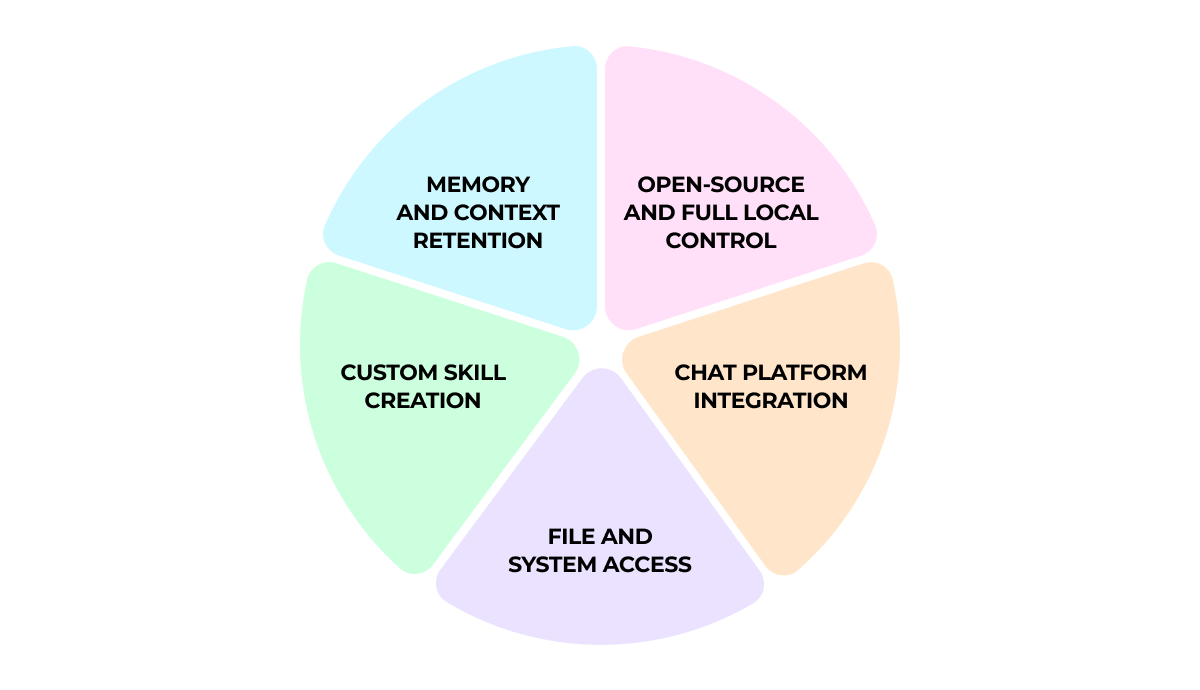
OpenClaw is designed as an AI agent that can execute tasks, not only generate text. It connects a language model to system tools such as files, scripts, APIs, and browsers.
At the center of the system is a process called the Gateway. It manages how messages are received, how context is stored, and how actions are executed.
When a user sends a request through a messaging app, the model evaluates the message, checks available tools, and selects the next step. The Gateway then runs that action, whether it is reading a file, executing a command, or interacting with a website.
This loop repeats until the task is completed and a response is returned.
The full codebase is MIT-licensed and available on GitHub. Anyone can review it, audit security, modify the logic, or build custom integrations.
The system runs on your own hardware. It can operate on a personal computer, a home server, a VPS, or a cloud instance you control. No vendor infrastructure is required to keep it running.
Configuration files and conversation history are saved locally as plain Markdown files. A background Gateway process manages sessions, tools, and task execution on your machine.
Local execution does not limit model choice. It can connect to cloud models from Anthropic, OpenAI, and Google, or use local models through Ollama or LM Studio.
The system connects to the messaging apps you already use. There is no separate dashboard to manage. You interact with it inside your existing chats.
Supported platforms include:
All incoming messages are processed through the Gateway. It converts them into a standard internal format and routes tasks to the correct workspace. Different accounts and channels remain separated, so conversations do not mix.
The agent can read and write files, run shell commands, and interact with applications on your machine.
Model Context Protocol (MCP) connects language models directly to the operating system. This allows the model to work with real system resources rather than only generating text.
Through its node layer, the system can access local files, camera input, screen recording, and location services. For web-related tasks, it controls browser sessions, fills out forms, and collects information from websites.
These capabilities enable browser automation and media handling inside the same workspace where conversations happen.
The platform uses a modular skill system to define what it can do.
Each skill is stored as a Markdown-based SKILL.md file. It contains code, metadata, and plain-language instructions that guide the model on how to execute the task.
Skills also include YAML frontmatter that defines dependencies, environment variables, and setup requirements.
Users can download skills from the community repository or build custom ones for specific workflows.
OpenClaw uses a smart memory system to keep context between sessions. Two main structures store conversation history and key information:
Full conversations are saved as session transcripts with descriptive names. You can search these transcripts to recover details from earlier work.
Search combines vector search (70%) with BM25 keyword search (30%). This allows the system to find related ideas as well as exact matches.
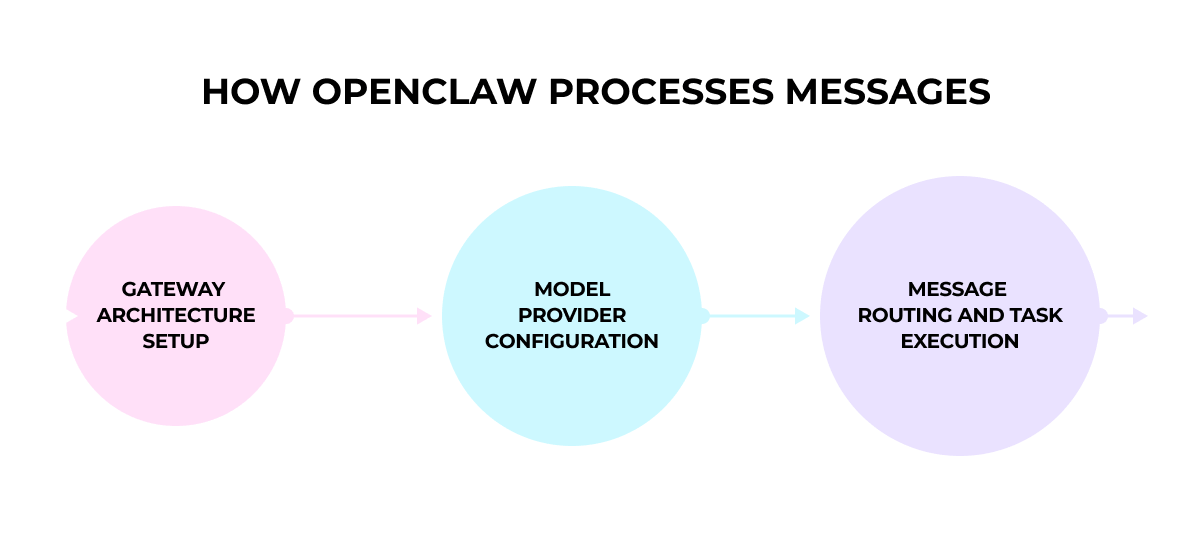
OpenClaw’s interface looks simple, but behind it runs a structured execution system that handles message routing, model calls, and task control.
Understanding this internal setup helps explain how requests move from input to action.
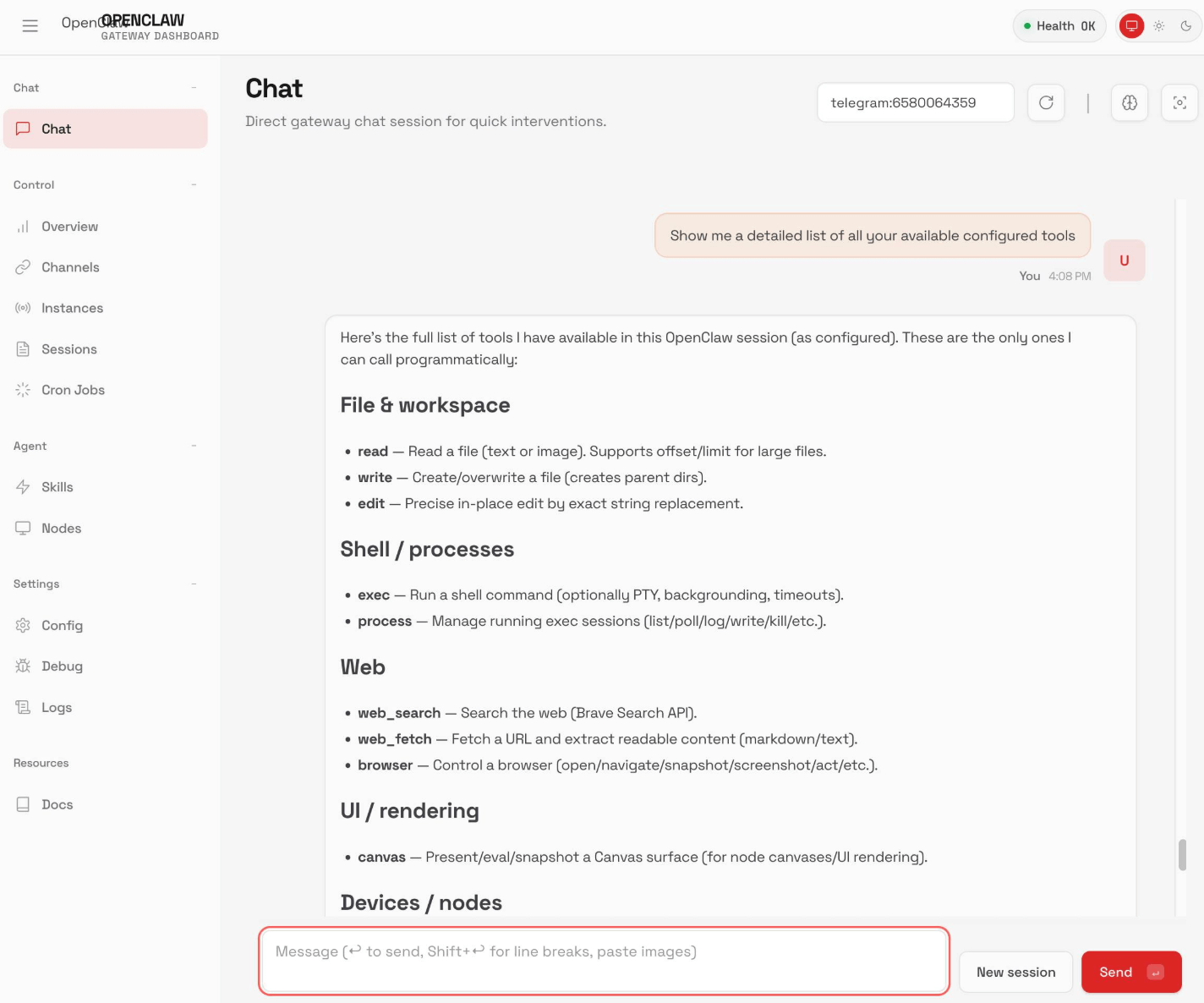
The Gateway is the main process that runs the agent. It manages incoming messages, keeps track of sessions, and controls how tasks are executed.
It runs as a local background service on your machine. Messages from WhatsApp, Telegram, Discord, and other platforms are received and converted into a standard internal format before processing.
The system separates responsibilities into clear components. Platform adapters handle integrations. Session management maintains context. A task queue controls execution order. Before each action, the runtime prepares the necessary context for the model.
The Gateway stays active and routes each request to the correct session.
Want to see how an agent like this would run for your team? Darwin can walk you through it.
Before the agent can execute tasks, you need to connect a language model.
During setup, you choose a provider and specify a model in the format provider/model, for example anthropic/claude-opus-4-6.
The system supports multiple providers, including OpenAI, Anthropic, Venice AI, OpenRouter, Moonshot AI, and Amazon Bedrock.
You can define a primary model and a backup. If the first model becomes unavailable, the system switches automatically.
API keys are stored securely in your system keychain and kept separate from configuration files.
When a message is sent through a connected platform, it first passes through a channel adapter. This component standardizes the message format and extracts any attachments.
Each request is then placed into a session queue. By default, tasks are processed one at a time to avoid conflicts. Parallel execution can be enabled for operations that are safe to run simultaneously.
The system follows a simple loop: the model reviews the request, selects a tool if needed, the action is executed, and the context is updated. This cycle continues until the task reaches a result or a defined limit.
Permissions and sandbox rules are applied at the session level, based on the type of conversation.
Once processing is complete, the final output is sent back through the same messaging channel. A full record of the interaction is stored as a JSONL transcript for review.
The system is designed around two priorities: control over execution and the ability to automate tasks. Its value becomes clear when looking at privacy, workflow automation, cost control, and extensibility.
The self-hosted approach gives users full control over sensitive information. Data stays on local machines or designated servers, which is important for organizations with strict compliance requirements.
Medical professionals, legal teams, and financial experts handling confidential information benefit from a setup where data does not leave the environment unless explicitly allowed.
Configuration, memory, and interaction history are stored as readable Markdown files in standard folders. Any text editor can open them. This keeps control transparent while preserving full agent functionality.
Intel’s optimization introduces a hybrid execution model. Sensitive documents, meeting transcripts, and private files remain on-device. Cloud models participate only in approved tasks.
This setup balances privacy with execution capability, reducing exposure while maintaining automation.
When you describe what needs to be done, the system breaks the request into steps and calls the necessary tools.
Complex requests are broken into smaller steps and executed sequentially. This can include research, drafting, comparison, data extraction, or structured delegation.
In one reported case, an agent saved $4,200 on a car purchase by comparing dealer offers overnight. In another example, an agent prepared a policy-based insurance appeal response without manual input.
AI infrastructure analyst Doug Vos summarized this shift: “OpenClaw is the foundational infrastructure for personal AGI. It is simultaneously a significant security risk and a massive leap in productivity.”
When an agent can execute commands or access internal services, responsibility shifts to access control and monitoring.
The system allows switching between cloud providers such as Claude or GPT-4 and local language models.
Running tasks locally reduces cloud token usage for document analysis, summarization, and planning.
This makes it easier to control expenses while keeping execution stable.
The system supports three extension types: skills, plugins, and webhooks.
Users can connect REST APIs, CLI tools, SaaS platforms, databases, or internal services.
The community has built over 50 official and community integrations for productivity tools, development workflows, and smart home systems.
OpenClaw is used in personal workflows, business operations, and development teams where work involves files, tools, and multi-step tasks.
For daily productivity, it can generate personalized morning briefings with weather updates, calendar events, and headline summaries. It transcribes meeting recordings, extracts action items from conversations, and turns voice notes into structured journal entries.
Businesses use it to automate client onboarding, track brand mentions, and prepare KPI snapshots for internal reporting. It also supports multi-channel customer service by connecting WhatsApp, Instagram, email, and review platforms in one workflow.
Development teams rely on it to monitor CI/CD pipelines, summarize pull requests, check dependencies for security updates, and run server health checks. Some teams even trigger internal features directly through chat interfaces.
Content teams build production pipelines where the agent helps brainstorm topics, draft content, generate on-brand visuals, and adapt materials for different platforms. In larger teams, separate agents can handle different tasks inside dedicated Slack or Discord channels.
For personal use, people automate email summaries, shopping lists, and package tracking. Some build a “second brain” system to store decisions and retrieve information through messaging apps.
Smart home users connect it to Home Assistant to control devices using natural language commands. It can also suggest recipes based on available ingredients and daily priorities.
Financial use cases range from receipt-to-spreadsheet automation to negotiation support. In one documented case, an agent negotiated $4,200 off a vehicle purchase by comparing dealer quotes.
Ready to bring an AI agent into production with proper access controls and monitoring?
OpenClaw runs as a locally deployed service and interacts directly with system tools, files, APIs, and messaging platforms. Installation and configuration are handled manually, so users need to understand the infrastructure they work with.
This model fits engineers who work in command-line interfaces and manage servers, repositories, and deployment processes.
Installation includes cloning the repository, defining system variables, connecting model providers, and optionally running Docker or provisioning a VPS.
Engineering teams use it inside their development workflow. It can manage coding sessions, generate or review pull requests, run automated tests, monitor CI/CD pipelines, check dependencies, execute local scripts, and interact with internal APIs. It operates within the same project stack and has access to version control systems and local tools.
Local deployment keeps conversation history, configuration files, and logs on the same machine.
When configured to use a local language model, all processing happens on-device. Requests and generated outputs stay within the same system.
This model fits organizations where internal policies or compliance requirements limit the use of external AI providers. Configuration determines whether tasks run locally or are routed to a cloud model.
The system is useful in workflows with repeatable or multi-step processes.
Common scenarios include calendar coordination, email routing, research aggregation, structured reporting, CI/CD monitoring, and task scheduling.
Initial setup requires technical knowledge. After deployment, routine tasks can be triggered through messaging platforms without direct system interaction.
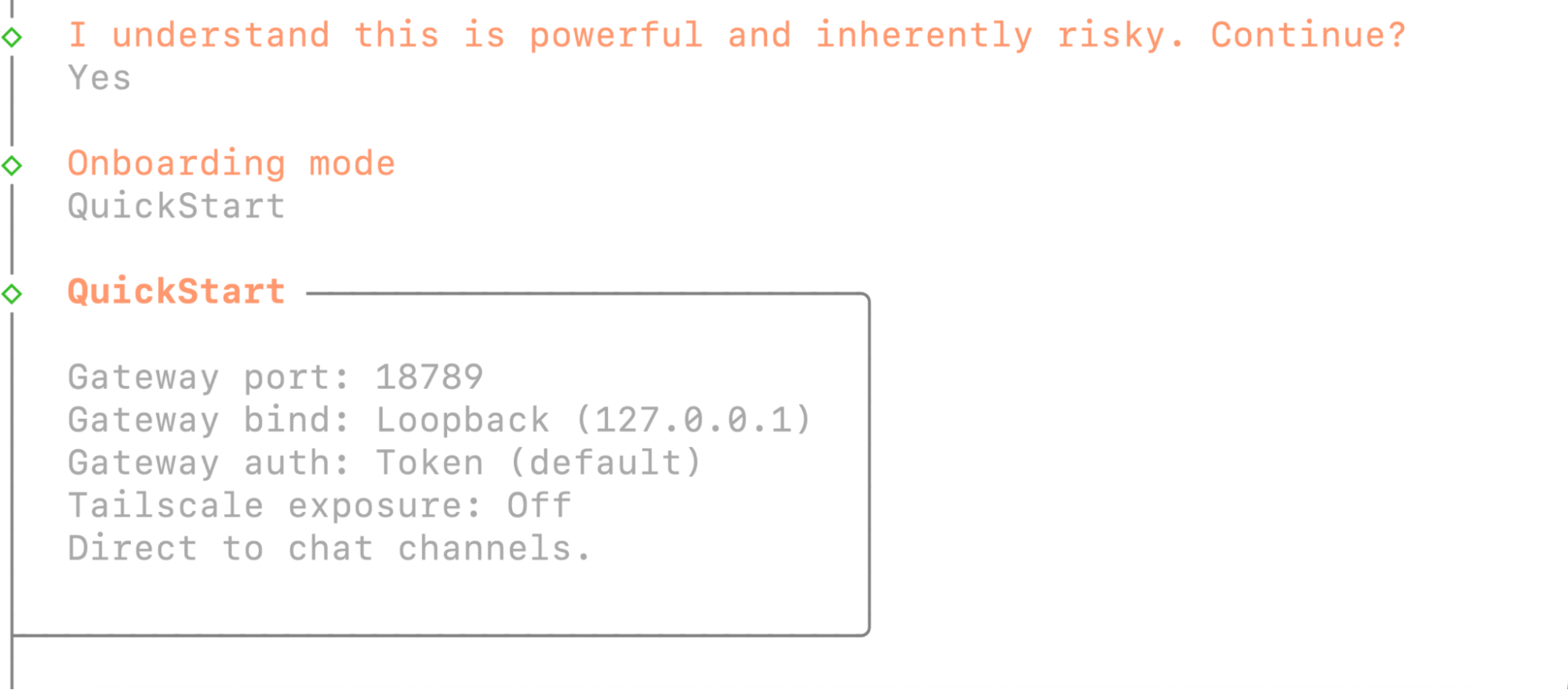
Execution-capable agents introduce a different level of responsibility compared to standard AI tools. When an agent can read files, execute commands, interact with APIs, and automate workflows, deployment decisions directly affect system integrity.
Running OpenClaw in production requires clear access limits, permission rules, logging controls, and separation between services. These choices define what the agent can touch, what stays protected, and how errors are contained.
Darwin works at the infrastructure and governance layer of AI adoption. Our role is to help companies integrate agent-based systems into existing architecture without compromising operational stability.
This includes:
We analyzed OpenClaw deployment, permission design, and operational risk patterns in detail in our OpenClaw deployment guide on AI Lab.
For teams evaluating whether an execution-capable agent fits their stack, the starting point is infrastructure design and access control.
If OpenClaw is being considered for internal systems, begin with deployment planning and risk assessment.
Q1. Is OpenClaw free to use?
OpenClaw is open-source software released under the MIT license, which means it can be used without paying for the software itself. Costs may apply only if you connect paid cloud AI providers that charge based on usage. Running it with a local language model does not require a subscription.
Q2. Do you need technical skills to use OpenClaw?
Setup requires command-line familiarity, API key management, and basic development knowledge. Installation involves cloning the repository and configuring environment variables. It is intended for users who install and maintain their own infrastructure.
Q3. How does OpenClaw handle privacy?
By default, all configuration, memory files, and conversation history are stored on the user’s machine. External model providers are used only if explicitly configured. When paired with a local language model, processing remains on-device.
Q4. Can OpenClaw work without internet access?
Offline operation is possible when connected to a local language model such as Ollama or LM Studio. In this case, requests and generated outputs stay on the same machine.
Q5. Is OpenClaw safe to run on a production server?
OpenClaw has direct system access, which means configuration errors can affect files or services. Production deployment requires controlled permissions, sandboxing, and human review for sensitive workflows.
Contact Darwin today for a custom SEO strategy that combines the best automation tools with proven tactics to dominate Google and AI search results.
Talk to us