Compare ChatGPT, Canva AI, Grammarly, Zapier, and 6 other tools B2B teams actually use. Includes free plan limits, pricing, and a side-by-side comparison table.
Quick Answer:
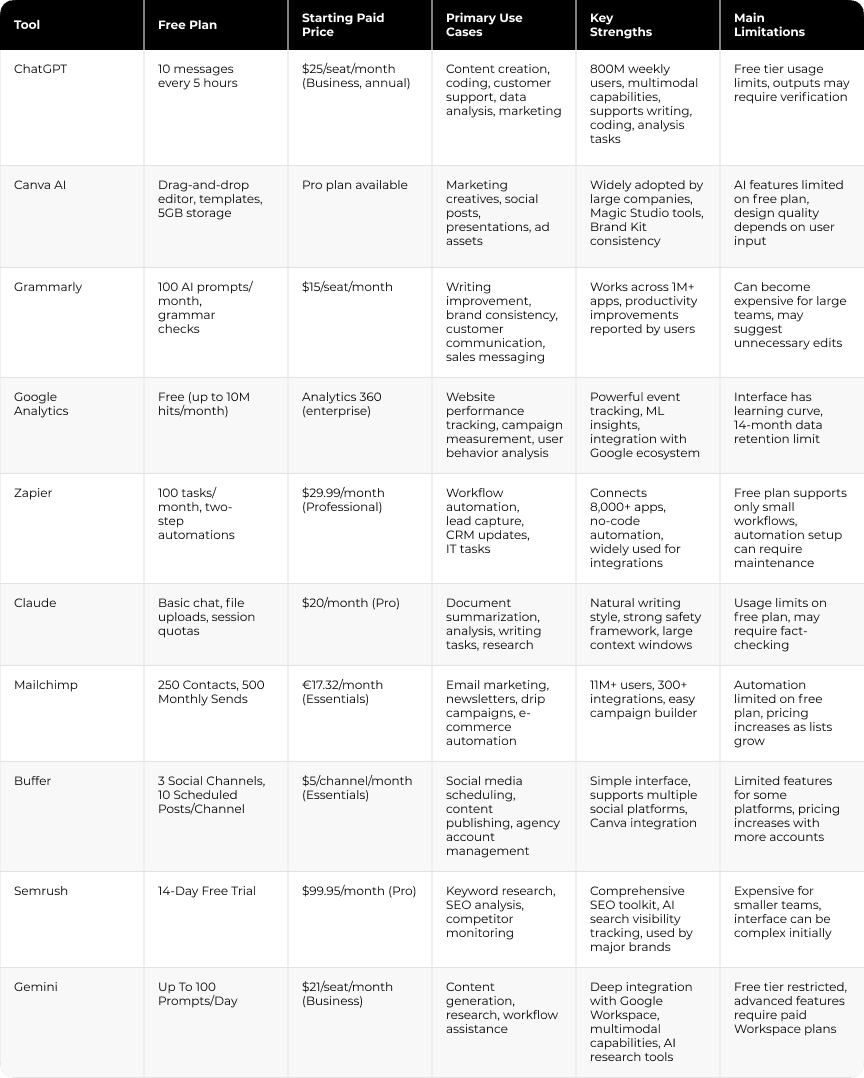
The most practical free AI tools for business in 2026 include ChatGPT for content creation and task automation, Google Analytics for web tracking, Canva AI for design, Grammarly for writing quality, Zapier for workflow automation, and Claude for document analysis. Each platform offers a functional free tier and clear upgrade paths as business needs expand.
TL;DR
The sections below explain where each tool works best and what limitations to expect from the free tier.

If you want a clear plan for choosing, connecting, and scaling these tools, Darwin can help
Most businesses already use a mix of AI tools and AI-powered platforms for content creation, workflow automation, design, analytics, and customer communication. The challenge for many teams is deciding which tools provide practical value and where to start.
Free AI tools for business have improved significantly over the last few years, making them practical for everyday operational work. For many everyday tasks, the difference between free and paid tools is smaller than companies expect. Recent research shows that 57% of small business owners believe AI gives them operational advantages that were previously associated with companies with larger technology budgets.
This guide reviews 10 free AI tools for business worth testing in 2026, what each platform does well, and where the limits of the free tier begin.

ChatGPT is one of the most widely used AI tools for business, with over 800 million weekly active users. It supports content creation, customer communication, coding, and research through a single interface.
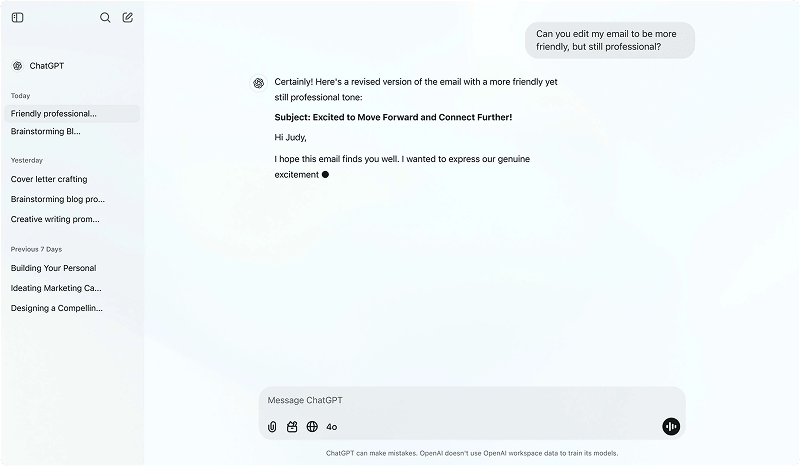
The free plan provides access to conversational AI with usage limits of roughly 10 messages every five hours.
The ChatGPT Business plan starts at $25 per user per month when billed annually. It includes shared workspaces, admin controls, single sign-on, and multi-factor authentication for team environments.
ChatGPT integrates with company tools while keeping usage information private. OpenAI states that business and enterprise data is not used for model training.
HYGH, a digital media company, saves 5.5 hours per employee each week using ChatGPT for routine tasks. Minnesota Enterprise Translations Office reduced translation turnaround from a month to under 48 hours, saving over $100,000 monthly. Plex Coffee cut routine staff messages by 50%.
Marketing teams use ChatGPT to draft blog posts, social captions, and product descriptions. Sales teams use it for outreach emails and prospect research. Customer support teams use it to prepare automated first-response drafts.
ChatGPT supports multimodal input, allowing teams to work with text, images, video, and audio in one interface. Memory features retain conversation context across sessions, helping maintain consistent outputs.
Deep Research enables multi-step topic analysis for structured reports. Teams can also build Custom GPTs to automate internal workflows or create task-specific assistants.
Image generation is available through DALL-E within higher plans.
Pros:
Cons:
Without web search enabled, some recent information may be missing

Anyone on a marketing or operations team can produce professional-grade design with Canva AI, even without design skills or upfront cost.

The free tier includes a drag-and-drop editor, thousands of templates, and built-in AI tools for generating designs, images, and copy directly inside projects. Storage is limited to 5GB. AI features on the free plan are limited in usage and generation volume.
Canva Pro unlocks millions of premium assets, expanded AI tools, 1TB of storage, and brand kits. Canva Business (or Teams) adds collaboration workflows, approval tools, and higher AI usage limits.
Marketing teams use Canva AI to generate ad creative concepts, adapt assets across channels, and produce social posts, presentations, and landing pages without starting from scratch.
Real-time insights through Canva Grow track Meta ad performance and help identify high-performing creative variants. Integrations with Google Analytics, HubSpot, and Salesforce allow teams to connect campaign data with creative workflows.
Canva AI includes several built-in tools designed to simplify content creation inside the editor. Magic Write generates text ideas and marketing copy directly within design projects, while Magic Resize automatically adapts a single design into formats for different channels.
The platform also includes Magic Media, which converts text prompts into images and short videos. Brand Kit ensures visual consistency by applying company fonts, colors, and tone across designs, and Canva Shield provides safeguards and moderation layers for AI-generated content.
Pros:
Cons:

Grammarly improves writing quality across the channels business teams use, from sales emails to support responses. Companies using the platform report 17x ROI and about $5,000 in annual savings per employee.
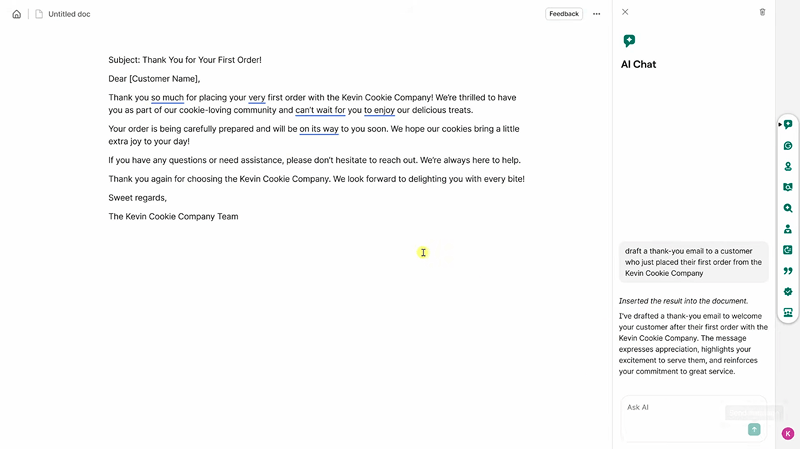
The free plan includes grammar, spelling, and punctuation checks across more than one million apps and websites. It also provides 100 AI prompts per month for basic writing assistance.
Grammarly Pro increases that limit to 2,000 prompts per month and adds full-sentence rewrites and tone adjustments.
Grammarly Enterprise removes prompt limits and introduces custom style guides, brand tone profiles, and Knowledge Share, which allows teams to insert company information into writing suggestions.
Sales teams use Grammarly to improve outreach emails and internal communication. Customer support teams rely on it to produce clearer responses without slowing down workflows.
Engineering and product teams use it to improve documentation clarity. The plagiarism checker compares content against ProQuest databases and more than 16 billion web pages, which is useful for content teams working at scale.
For example, Darwin helped Tech.co scale AI-assisted content production eightfold while reducing monthly costs by approximately $15,000.
Grammarly integrates with browsers and applications such as Microsoft Office, Slack, and Gmail, allowing teams to edit writing directly inside their existing workflows. A built-in tone detector helps writers adjust language to match audience expectations.
Teams can upload custom style guides to enforce brand writing standards automatically. Snippets allow reusable message templates for consistent replies, and multilingual support covers English, Spanish, French, German, Portuguese, and Italian.
Pros:
Cons:
If analytics, CRM, and reporting systems operate separately, it becomes difficult to maintain consistent reporting. Darwin helps connect these systems.
Google Analytics is a widely used free tool for understanding what happens on your website and app. It tracks user behavior, campaign attribution, and conversion paths without additional cost.
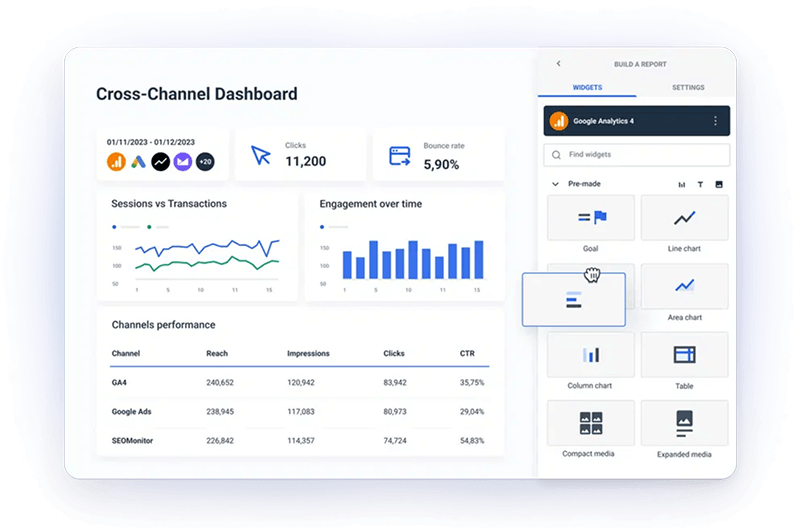
GA4 is available to anyone with a Google account. It collects event-based interactions from websites and apps, with up to 25 custom parameters per event and 50 custom events per property.
Analytics 360 is the paid tier for organizations that require faster reporting and higher event volumes, typically above 10 million events per month.
412 Food Rescue reduced reporting time by 50% using cross-platform reporting in GA4. Lider reported an 85% decrease in cost per acquisition after adopting attribution models.
Marketing teams use GA4 to evaluate touchpoints across the funnel and identify where users drop off before converting. Predictive metrics estimate the likelihood that users will purchase or churn within 28 days, helping teams plan proactive campaigns.
"AI lets us capture important customer context at the moment of sale — so three years down the line, we still know exactly why they bought." — Lisa Nikolau, RevOps Leader, Gatekeeper
Google Analytics includes predictive insights powered by machine learning that estimate purchase likelihood and churn probability. Cross-platform tracking helps identify users across devices and browsers, providing a more complete view of the customer journey.
Funnel exploration tools visualize how users progress through key steps and highlight potential drop-off points. Integration with BigQuery allows teams to run large-scale analysis and combine analytics data with other datasets.
The platform also supports natural language queries, allowing users to search for metrics and reports using plain English.
Pros:
Cons:
Ad blockers and cookie consent can reduce tracking accuracy

Zapier connects more than 8,000 apps and allows teams to automate repetitive workflows and data transfers between systems.
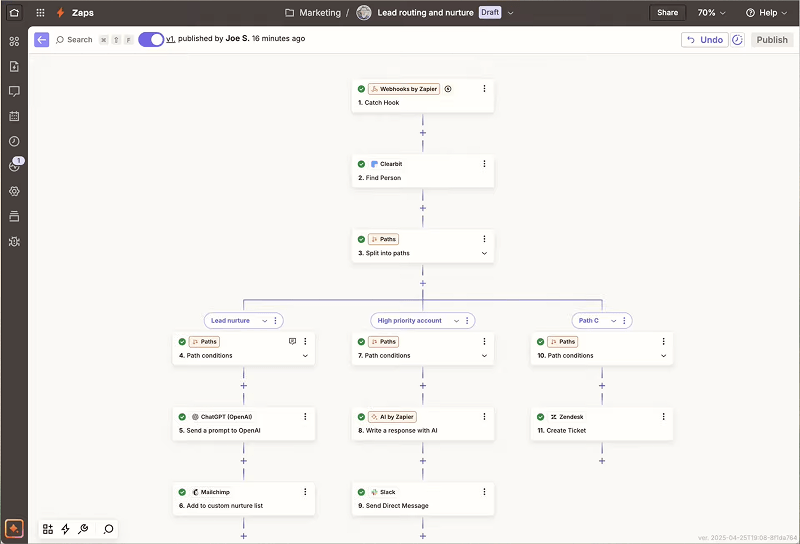
The free plan includes 100 tasks per month with unlimited two-step Zaps that check for updates every 15 minutes.
The Professional plan starts at $29.99 per month and increases task limits while enabling multi-step workflows.
Enterprise removes most limits and adds advanced security features such as SOC 2 compliance, single sign-on, and full audit trails.
Remote, a company with more than 1,700 employees, runs 580 active Zaps and reports saving the equivalent of 2,219 working days each month. Vendasta recovered $1M in pipeline and eliminated 282 days of manual work annually. Toyota of Orlando manages over 30,000 lead records while saving around 20 hours per week.
Marketing teams use Zapier to route leads from forms and advertising platforms into CRM systems. Sales operations teams automate pipeline updates and qualification flows. Customer support teams use Zapier to resolve routine IT requests, reducing manual ticket handling.
In another project, Wizehire reduced lead acquisition costs by 26% and improved response time through automated funnel optimization and system integrations.
Zapier's platform includes Tables for centralized data storage, Forms for custom intake workflows, Chatbots for automated responses, and Agents that take autonomous actions inside your tools. Canvas visualizes multi-step processes. AI Workflows integrate ChatGPT and Claude directly into your automations.
The system supports conditional logic through Paths, data filtering, and custom code steps in JavaScript or Python. Built-in error handling, intelligent throttling, and automatic retry capabilities keep workflows reliable.
"With MCP, AI doesn't just answer questions, it can take action. That shift has completely changed the speed and scale at which teams can build, optimize, and analyze campaigns." — Priya Gill, CMO, Iterable
Pros:
Cons:

Claude is an AI assistant developed by Anthropic with a focus on safe, accurate, and readable outputs. It is particularly useful for working with long documents, research tasks, and structured writing.
The free plan includes basic chat, file uploads, and multimodal inputs with session-based usage quotas that reset roughly every five hours.
Claude Pro costs about $20 per month and provides faster responses and access to newer models. Team plans range from $25 to $30 per user per month, offering higher usage limits and administrative features.
Web and mobile development teams account for about 10.4% of Claude usage, while content creation represents around 9.2%.
Businesses commonly use Claude to summarize contracts, research papers, and meeting notes. It is also useful for analyzing customer feedback, helping teams detect patterns across large volumes of messages without manual review.
Claude can generate structured documents such as Word files, Excel sheets, PowerPoint presentations, and PDFs directly from prompts. The platform also connects with tools such as Google Drive, Gmail, Slack, and Canva, allowing teams to work with existing documents and workflows.
Extended context support enables Claude to process long contracts and reports within a single session. The system is built around Constitutional AI, a safety framework designed to reduce harmful or misleading outputs.
Pros:
Cons:
Which of your AI tools actually feed into revenue reporting? Darwin helps teams answer that.

Mailchimp remains a widely used entry point for email marketing, with over 11 million users relying on it for list management, automated sequences, and campaign reporting.
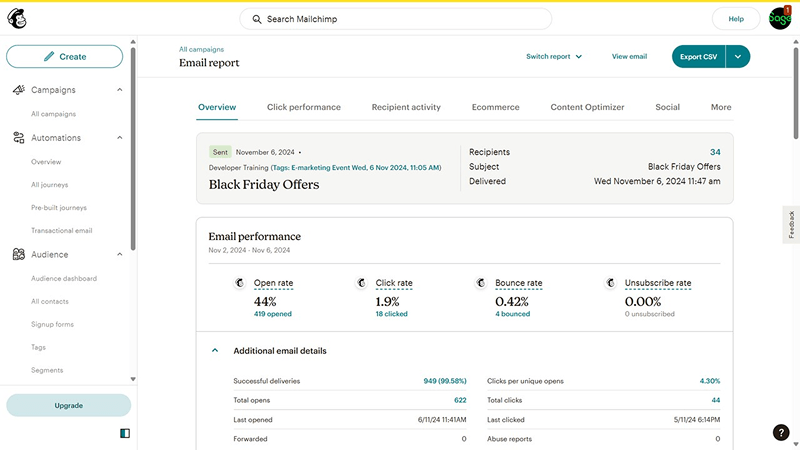
The free plan includes 250 contacts and 500 monthly sends, with a daily cap of 250 emails. This allows small teams to test the platform and run basic campaigns.
Paid plans expand contact limits and introduce advanced marketing automation, segmentation, and campaign optimization tools. Essentials plans start at around $17 per month, while Standard plans add automation workflows and more advanced audience targeting.
Mailchimp counts inactive and unsubscribed contacts toward billing totals, which can increase costs as lists grow.
E-commerce companies often use Mailchimp for abandoned cart recovery, product recommendations, and order notifications.
Marketing teams use the platform for newsletters, drip sequences, and lead nurturing campaigns. The platform integrates with more than 300 tools, including Shopify, WooCommerce, Stripe, and Salesforce, allowing businesses to connect email campaigns with sales and customer data.
Mailchimp includes a Customer Journey Builder that helps teams design multi-step email sequences based on user behavior. Built-in audience segmentation allows marketers to target specific contact groups using engagement data.
The platform also offers tools for creating landing pages and forms to capture new leads without external software. Automation features help trigger messages based on user actions such as purchases, signups, or product views.
Pros
Cons
Automation capabilities on the free plan are limited

Buffer helps teams manage social media scheduling across multiple networks from a single interface. It also includes an AI assistant that supports post ideas and basic copywriting.
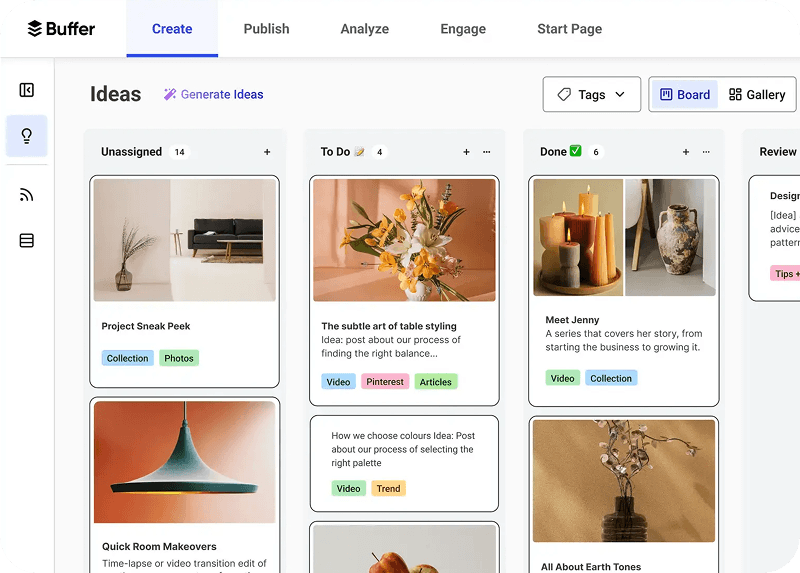
The free plan connects up to three social channels, with 10 scheduled posts per channel and 100 saved ideas.
The Essentials plan starts at $5 per channel per month and removes post limits. Team plans cost around $10 per channel per month and add collaboration features and unlimited user access.
Basic analytics and AI assistant features are included across plans.
Marketing agencies use Buffer to manage multiple client accounts in one dashboard. Small businesses rely on it to schedule posts in advance and maintain consistent social media activity.
The engagement inbox helps teams reply to Facebook and Instagram comments without switching between platforms.
Buffer supports publishing across major social networks including Facebook, Instagram, LinkedIn, X, TikTok, YouTube Shorts, and Bluesky, helping teams manage multiple channels from one place.
The platform also includes Start Page, a lightweight landing page builder designed for link-in-bio profiles. Integration with Canva allows users to design graphics without leaving the scheduling workflow, while the built-in AI assistant can suggest post ideas and draft captions based on previous content.
Pros:
Cons:

Semrush provides marketing teams with tools for keyword research, competitive analysis, and SEO auditing. It helps companies understand search demand, analyze competitors, and identify opportunities to improve online visibility.
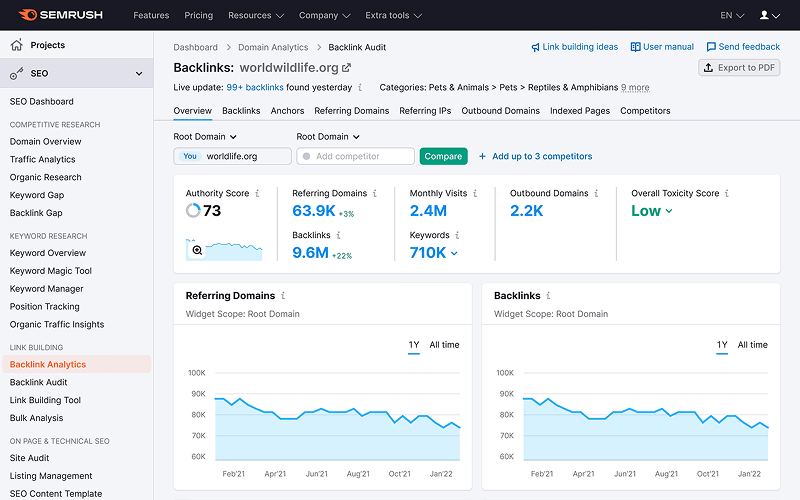
The service offers a limited free trial so teams can explore its capabilities before committing to a paid plan.
Paid subscriptions include Pro for individual marketers and small teams, Guru for growing agencies, and Business plans designed for organizations that require higher usage limits and advanced reporting.
Marketing teams use Semrush to identify valuable search terms and understand how competitors generate traffic.
The AI Brand Tracker toolkit helps companies monitor how their brand appears across AI search platforms such as ChatGPT and Perplexity. Content teams also use the platform to validate search demand before producing articles or landing pages.
Semrush includes tools for keyword research that provide search volume estimates, difficulty scores, and search intent classification. The platform also offers site auditing capabilities that help detect technical issues affecting search visibility.
Position tracking allows teams to monitor how target keywords move in search results over time. Another capability, AI Brand Tracker, helps measure how brands appear in AI-generated search experiences and emerging discovery platforms.
Pros:
Cons:

Gemini is Google’s AI assistant integrated across Gmail, Docs, Sheets, Slides, Drive, and Meet. For teams already working inside Google Workspace, it adds AI support directly to everyday workflows.
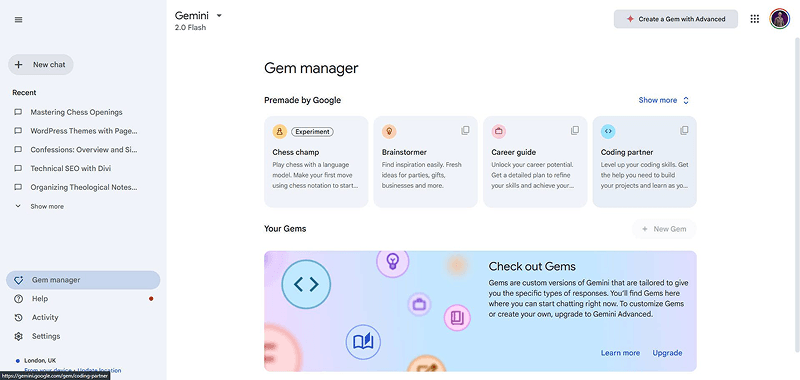
The free tier allows up to 100 prompts per day for basic tasks such as writing, summarizing, and analysis.
Business versions expand capabilities with higher usage limits, faster responses, and deeper integration with company knowledge sources. Enterprise editions include custom style guides, security controls, and Knowledge Share, which connects Gemini to internal documentation and company resources.
Companies use Gemini to support writing, research, and internal communication inside Google Workspace.
For example, Virgin Voyages deployed dozens of specialized AI agents to assist marketing teams and reduce campaign copy production time. Some enterprises are rolling out Gemini across departments to streamline research, documentation, and customer communication workflows.
Gemini integrates directly with Google Workspace applications, allowing teams to generate content, summarize information, and analyze documents without switching tools.
It supports multimodal processing, which means it can handle text, images, video, audio, and code within the same interaction. The Deep Research capability allows the assistant to plan and execute multi-step research tasks across multiple sources.
Companies can also create Gems, which are customized AI assistants designed for specific workflows such as marketing planning, reporting, or document drafting.
Pros:
Cons:
Running more than three of these tools? Darwin helps teams connect them so data flows between systems.
Not sure which of these tools fits your stack? Darwin helps teams map AI tools to your workflows.
Many companies adopt AI tools quickly. Real value appears when those tools operate inside structured business processes.
For example, GA4 reporting often needs to connect with CRM data. Zapier automations depend on reliable data pipelines. AI-generated content must pass internal review before publication.
Darwin works with B2B marketing and RevOps teams to connect AI tools with the systems companies already use. This often includes linking tools such as ChatGPT, Claude, or Canva with CRM platforms, campaign systems, and content publishing environments.
As companies introduce more AI tools into their operations, several operational questions appear:
Darwin helps companies design these processes so AI tools work consistently inside existing systems.
This work often includes:
With these foundations in place, companies can introduce new AI tools without redesigning their operations each time.
Ready to make your AI tools work as a system, not a collection of tabs?
Q1. What are the best free AI tools for business in 2026?
Some of the most practical options include ChatGPT for content and automation tasks, Canva AI for marketing design, Grammarly for writing quality, Zapier for workflow automation, Google Analytics for website performance tracking, and Claude for document analysis. Most of these tools offer free tiers that allow teams to start using AI without upfront investment.
Q2. Can free AI tools save time and money for businesses?
Yes. Many companies use AI tools to reduce manual work in areas such as writing, research, reporting, and marketing operations. The biggest gains usually come when AI tools are integrated into existing workflows rather than used as standalone applications.
Q3. Which free AI tool works best for document analysis and writing?
Claude is widely used for analyzing long documents, summarizing reports, and working with complex text. ChatGPT is often preferred for shorter content creation, brainstorming, and general writing tasks.
Q4. What limitations should businesses expect with free AI tools?
Free plans usually limit usage volume and advanced features. Capabilities such as team collaboration, automation depth, custom integrations, or advanced analytics are typically available only in paid plans.
Q5. How do businesses choose the right AI tool for their needs?
Start with the operational task that consumes the most time. Writing workflows may benefit from tools like Grammarly or ChatGPT, while repetitive processes across systems often benefit from automation tools such as Zapier. Teams should test one tool first, then expand once clear value appears.
Contact Darwin today for a custom SEO strategy that combines the best automation tools with proven tactics to dominate Google and AI search results.
Talk to us